

The quote for your new website arrives. It has a page count, a design style and a launch date. It says nothing about who will ring you because of it. Six months later the site looks great, the phone is quieter than before, and nobody can say why.
That is the most common way a website project goes wrong, and it is almost never a design problem. It is a briefing problem. This guide walks through what a good website build involves, what Google says about the parts that affect your search visibility, and six questions to put to any agency or freelancer before you sign.
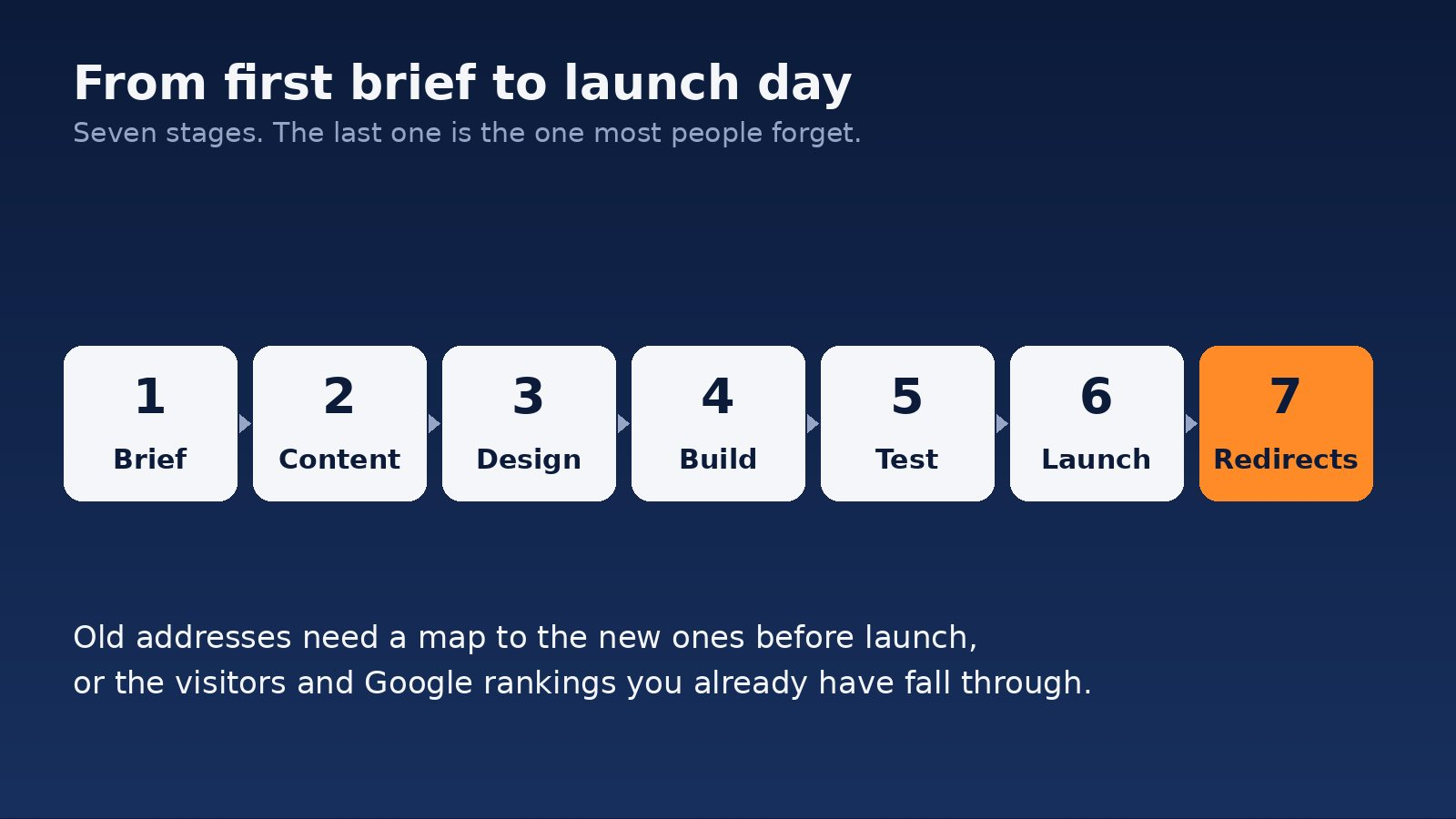
Start with the job the site has to do
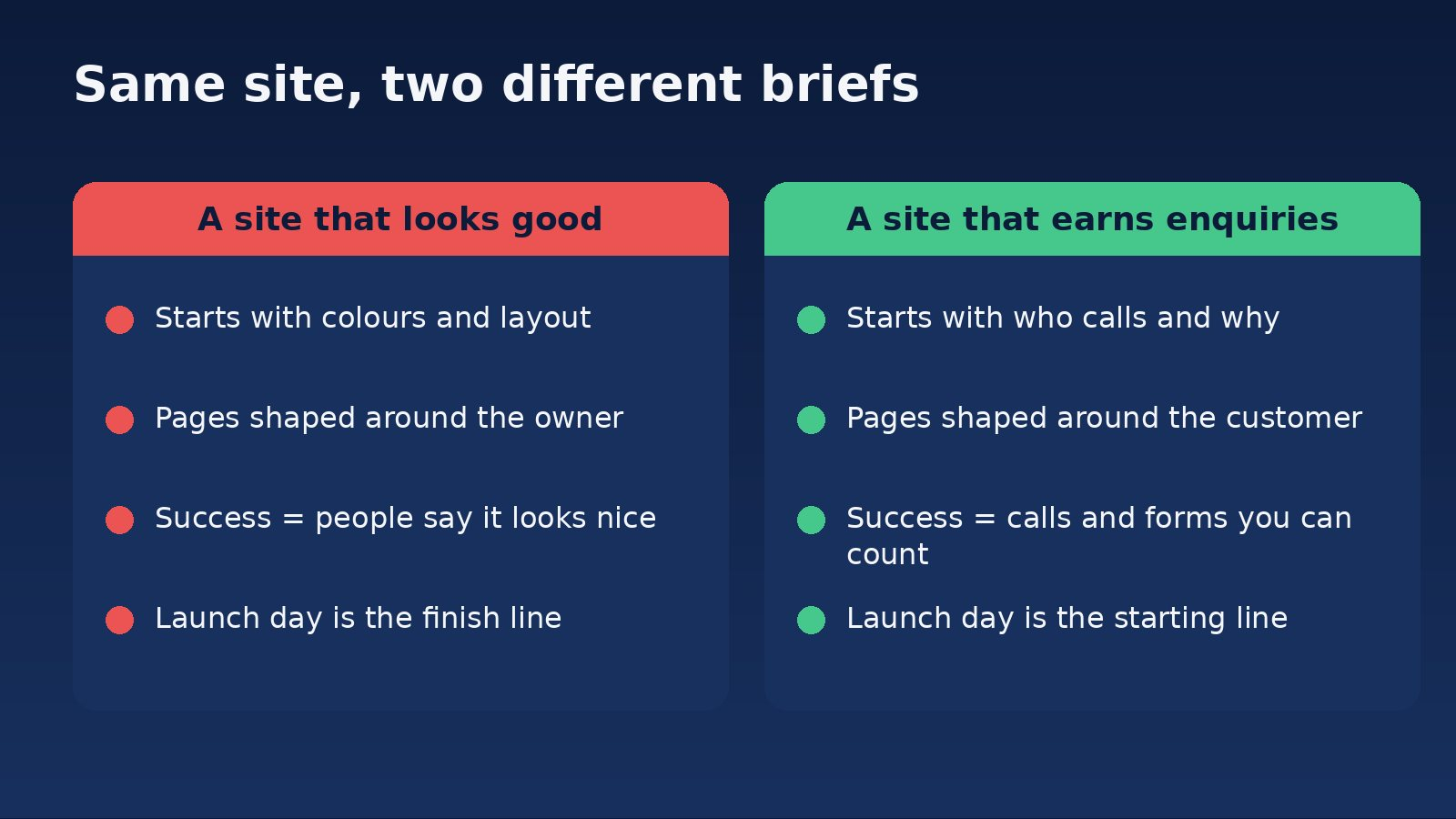
A website is a sales tool that works while you’re asleep. Before anyone opens a design program, you should be able to finish this sentence: “This site is working if, each month, we get more ______ from people who ______.”
For a plumber it might be calls from homeowners with a leak. For an accountant, enquiries from owners who want a second opinion. For an online store, orders from people who found a product. The answer shapes everything else: which pages exist, what the buttons say, what the forms ask and what gets measured.
If the brief you are handed starts with colours, logos and “look and feel”, push back. Those matter, but they come after the job is defined. A site built around the owner’s taste looks different from a site built around what a nervous first-time customer needs to see before picking up the phone.
What you are actually paying for
We are not going to put a dollar figure on a website here. Scope varies too much, and any number we printed would be a guess. What we can do is show you where the cost comes from, so you can compare quotes properly.
- Thinking. Working out who the site is for, what they need and how it should be organised. Skipped on cheap quotes.
- Words and photos. Someone has to write the page copy and supply real images. If the quote does not say who does this, the answer is usually “you”, and the launch date slips.
- Design and build. The part everyone pictures. Cost rises with the number of different page layouts, not just the number of pages.
- Features. Booking, payments, quote calculators, member areas. Each one is its own small project.
- Testing. On real phones, in more than one browser, with every form actually submitted.
- Launch work. Moving the old address structure across, tracking set up, search tools connected.
- After launch. Hosting, security updates, backups and fixes. Ask what is included and what is billed.
When two quotes differ a lot, the gap is usually in the first, second and sixth lines. Ask each supplier to show you where those items sit in their price.
Speed and stability: the part Google measures
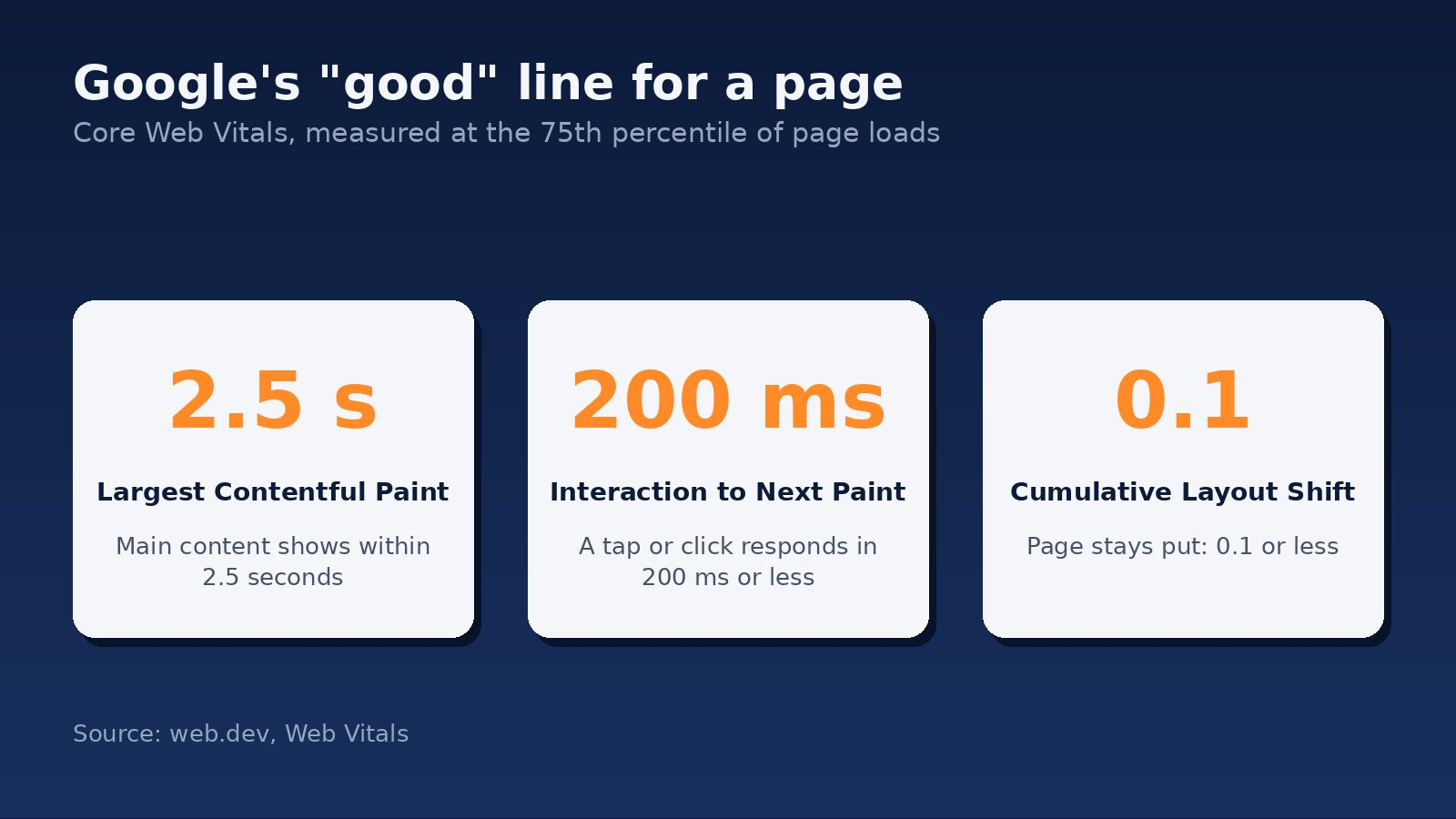
Google publishes three measurements of how a page behaves for a real visitor. Together they are called Core Web Vitals. In plain words, they ask: does the main content appear quickly, does the page respond when someone taps, and does it stay still while loading instead of jumping around?
Google’s developer site, web.dev, sets the “good” line for each (web.dev: Web Vitals):
- Largest Contentful Paint: “LCP should occur within 2.5 seconds of when the page first starts loading.”
- Interaction to Next Paint: “pages should have a INP of 200 milliseconds or less.”
- Cumulative Layout Shift: “pages should maintain a CLS of 0.1. or less.”
Google says to measure these at “the 75th percentile of page loads”, which means three in four visits should meet the line, not just the best one. That is Google’s own guidance for its own measurements, so treat it as the standard it is, not a law of nature.
How much does this affect where you rank? Less than agencies sometimes imply. Google’s page on the topic says that “Core Web Vitals are used by our ranking systems”, but also that “Google Search always seeks to show the most relevant content, even if the page experience is sub-par”, and warns that “trying to get a perfect score just for SEO reasons may not be the best use of your time” (Google Search Central: Understanding page experience). Our reading: a slow, jumpy site will hurt you, especially where competitors have equally good content, but speed alone will not rescue a site with nothing useful on it.
The practical ask for your supplier is simple. Request the Core Web Vitals results for your current site and the new one after launch, and have them explain any page that misses the line.
Your phone version is the version Google reads
Most businesses design on a desktop screen and check the phone version last. Google works the other way round. Its documentation says it uses “the mobile version of a site’s content, crawled with the smartphone agent, for indexing and ranking” (Google Search Central: Mobile-first indexing best practices).
Two things follow. First, you should look at your new site on a phone before you look at it on a monitor, at every stage. Second, the phone version has to carry the same content. Google’s guide says, “Make sure that your mobile site contains the same content as your desktop site,” and warns that a mobile page with less content may lose traffic. Hiding text behind tabs is fine. Quietly dropping it is not.

The step most people forget: protecting what you already have
If you already have a website, it has some standing with Google, and other sites may link to it. A rebuild often changes the web address of every page. If the old addresses simply stop working, visitors land on error pages and that standing is wasted.
Google’s guidance on moving a site is clear on the fix. It recommends “server side permanent redirects from the old URLs to the new URLs as you indicated in your mapping”, and calls it important to map old addresses to their new equivalents before you start. It warns against sending many old addresses to one unrelated page, such as the home page, because that can be treated as a soft 404. It also says to keep redirects “for as long as possible, generally at least 1 year”, and to “expect temporary fluctuation in site ranking during the move” (Google Search Central: Site moves with URL changes).
For you, that means three requests. Ask for a list of your current pages before the build starts. Ask to see where each one will redirect. And ask what happens in the weeks after launch, because a short dip while Google catches up is normal and should not catch you by surprise.
Structure that helps people and Google
Google’s starter guide for search is plain about basics a good build gets right (Google Search Central: SEO Starter Guide). Titles should be “unique to the page, clear and concise”. Addresses should include “words in the URL that may be useful for users”. And it advises against publishing several pages with the same information.
For a service business, that usually means one page per service, written for the person searching for that service, with its own title and a clear next step. It does not mean ten near-identical pages with a suburb swapped in. If a quote promises “50 SEO pages” without saying what each one will say, be wary.
The same guide notes that “some changes might take effect in a few hours, others could take several months.” Do not judge a new site by its first fortnight, and be sceptical of anyone who promises a ranking date.
Forms and privacy
Your contact form collects personal information, so New Zealand’s Privacy Act applies. The Privacy Commissioner’s guidance on principle 3 says that when you collect information directly from a person, you must take reasonable steps to make sure they know it is being collected, why, who will receive it, who holds it, and their right to see and correct it. Those steps must be taken “before the information is collected” where practicable (Office of the Privacy Commissioner: Principle 3). The Commissioner’s page does not spell out how this applies to a website form, so ask your supplier how the new site handles it, and take legal advice for anything specific to your business.
The easy win is also good conversion practice: keep forms short, say what happens after someone submits, and link to your privacy statement beside the button.
Six questions to ask before you sign
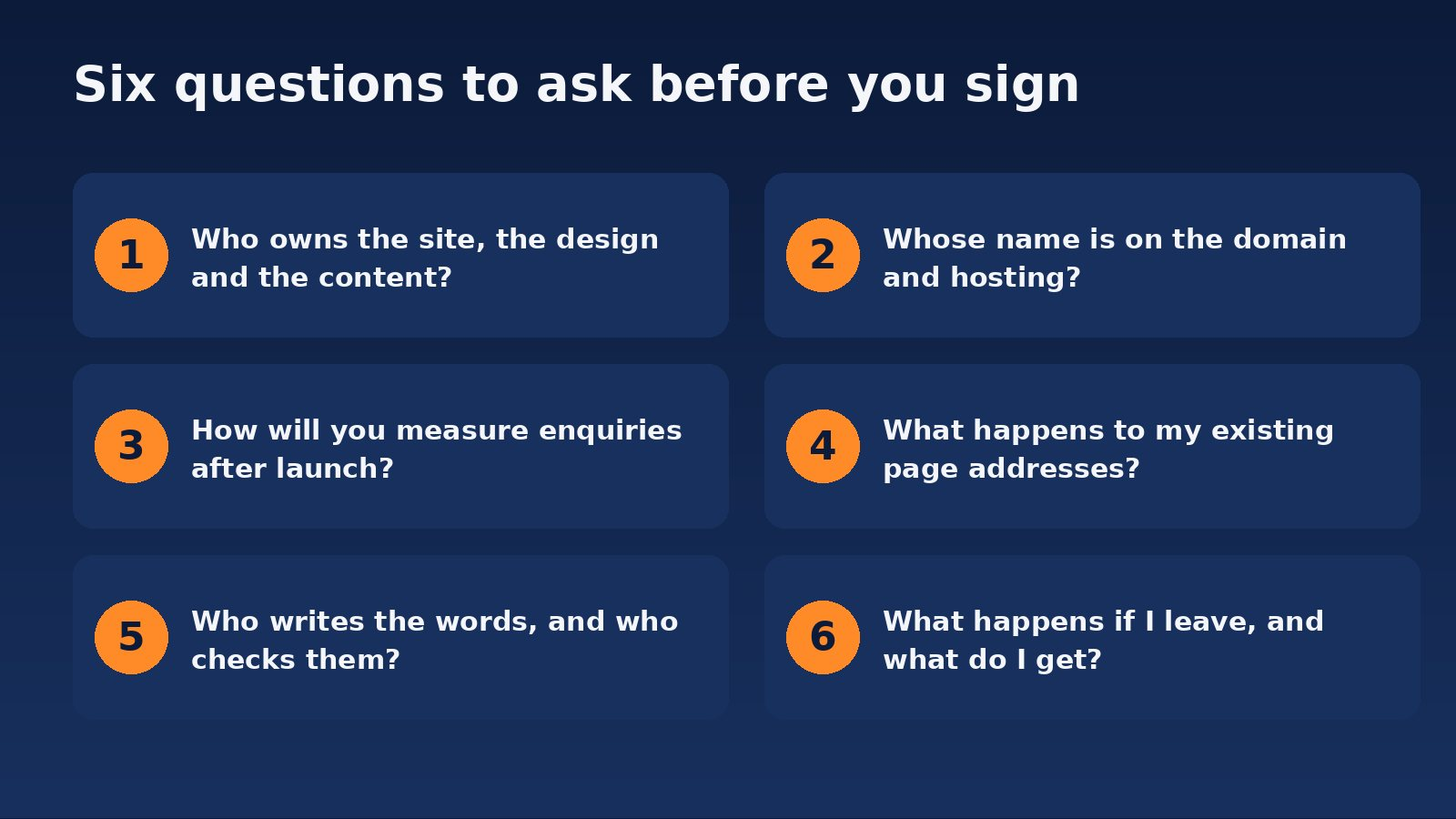
- Who owns the site, the design and the content? Get the answer in writing in the agreement. Do not rely on assumptions about how ownership works.
- Whose name is on the domain and the hosting? It should be yours. If your supplier registered it, ask for it to be moved or confirmed in your name.
- How will we measure enquiries after launch? Calls, form submissions and bookings should be counted from day one. If there is no plan, you will have no way to judge the result.
- What happens to my existing page addresses? You want a redirect map, not a promise.
- Who writes the words, and who checks them? Generic copy is the most common reason a new site underperforms. Facts, prices and claims need your sign-off.
- What happens if I leave? Ask what you receive, in what form, and how fast.
How long should it take?
It depends on scope and, honestly, on how quickly you supply content and feedback. A supplier who commits to a date without asking about your content, your features or your old site has not scoped the job. The stages in the first diagram give you a basis for asking for a dated plan, with a “your turn” and a “our turn” against each stage.
Where BeyondClix fits
BeyondClix is an Auckland agency. We design and build websites for local service businesses and e-commerce operators, and we connect them to Google Ads, search and tracking so you can see what the site produces. If you want a second opinion on a quote you’ve been given, or an honest view on whether your current site needs a rebuild at all, see our website design and digital marketing services or get in touch. We will tell you plainly what is worth doing first.
Frequently asked questions
Do I need a new website, or just fixes to the old one?
If the structure works, the site loads reasonably and you can edit it yourself, fixes may be enough. If it is hard to use on a phone, slow, or you cannot change anything without a developer, a rebuild is more likely to pay off. Check Core Web Vitals and your enquiry numbers before deciding.
Will a new website improve my Google rankings?
Not by itself. Google says page experience is one input and that relevance comes first. A better site removes obstacles, but content, structure and the rest of your search work do the lifting.
Will I lose my rankings when I relaunch?
Google warns to expect temporary fluctuation during a site move. Correct permanent redirects from old to new addresses, kept for at least a year, are its recommended way to limit the damage.
Should my new site be built for phones first?
Yes. Google uses the mobile version of your content for indexing and ranking, so the phone version needs the same content as desktop.
What should a website quote include?
Planning, who supplies the content, design and build, any features, testing, launch work including redirects and tracking, and what ongoing hosting and support cost. If one of those is missing, ask where it is.
Who should own my domain name?
You should. Make sure the registration is in your business name, with login details held by you or someone you trust.
Sources
- web.dev: Web Vitals (Google documentation)
- Google Search Central: Understanding page experience in Google Search results (Google documentation)
- Google Search Central: Mobile-first indexing best practices (Google documentation)
- Google Search Central: Site moves with URL changes (Google documentation)
- Google Search Central: SEO Starter Guide (Google documentation)
- Office of the Privacy Commissioner: Information privacy principle 3
Want this run for your business?
Talk to our team. We will show you where the money is leaking and what we would do about it.